
What is Bynder?
Bynder is an enterprise digital asset management platform focused on centralizing, organizing, governing, transforming, and distributing brand and marketing assets. It is DAM-first, with strong metadata, search, permissions, collections, portals, creative workflows, approvals, AI Agents, and omnichannel delivery capabilities.

What is Brandfolder?
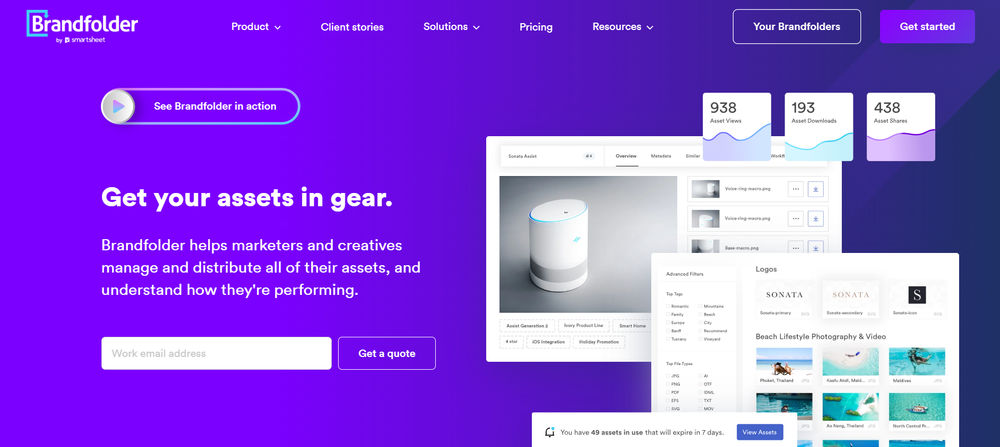
Brandfolder by Smartsheet is a DAM-first brand asset management platform focused on organizing, managing, distributing, and analyzing digital assets from a central source of truth. It supports branded portals, collections, permissions, metadata, custom fields, AI-assisted tagging and search, Smart CDN delivery, asset analytics, creative workflow, templates, Brandguides, and integrations across marketing and creative systems.
Bynder strengths and weaknesses
Bynder strengths
- Strong enterprise DAM foundation for organizing, governing, finding, approving, and distributing brand assets.
- Strong metadata, taxonomy, permissions, collections, portals, and external sharing workflows for brand and marketing teams.
- Good fit for non-technical users who need self-serve asset discovery, controlled downloads, approved derivatives, and brand-safe distribution.
- Broad AI layer for DAM use cases, including AI Agents, AI Search, similarity search, search by image, OCR/text-in-image search, enrichment, transformation, and governance.
- Supports omnichannel asset delivery through Dynamic Asset Transformation, predictable URLs, optimized derivatives, and embedded media workflows.
- Supports adaptive video streaming through HLS and MPEG-DASH when AVS is enabled for the portal.
- Strong creative and content workflow modules, including proofing, approvals, Studio templates, AI-assisted editing, and Content Workflow.
Bynder weaknesses
- Pricing is custom and not publicly transparent, making budget comparison harder before sales engagement.
- Total cost can increase manifold with users, storage, modules, enterprise integrations, support level, implementation services, and advanced feature packages.
- Some advanced features require enablement, admin configuration, Customer Success involvement, specific permissions, or package-level access.
- Developer-facing transformation and delivery workflows are less flexible than ImageKit or Imgix for real-time, URL-first application media pipelines.
- DAT and adaptive video streaming are useful, but they are DAM-led omnichannel delivery features rather than a broad programmable media API platform.
Brandfolder strengths and weaknesses
Brandfolder strengths
- Good usability for marketing, brand, sales, and creative teams that need quick asset discovery and sharing.
- Strong brand portal and external distribution workflows, including collections, share links, guest access, permissions, and vanity URLs.
- Good DAM foundation for metadata, custom fields, tags, labels, sections, collections, asset availability controls, and user permissions.
- Smart CDN lets teams embed Brandfolder assets across websites, CMS, ecommerce, email, and other channels while keeping assets updateable from the DAM.
- Brand Intelligence adds AI-assisted auto-tagging, OCR/document intelligence, video AI, speech-to-text transcription, scene detection, and asset analytics capabilities.
- Strong fit for Smartsheet customers because Brandfolder is part of the Smartsheet ecosystem and integrates with Smartsheet workflows.
- Good creative enablement features, including templates, Brandguide, content automation, bulk management, proofing, and creative workflow support.
Brandfolder weaknesses
- Pricing is not publicly listed in a simple self-serve table; customers need sales engagement for a quote.
- Advanced capabilities are split across Premium and Enterprise tiers, so features like SSO, asset analytics, document intelligence, video AI, custom automation, granular permissions, vanity URLs, and enterprise creative tooling may depend on plan scope.
- Smart CDN and download formatting are useful, but Brandfolder is not a full developer-first image/video transformation API like ImageKit or Cloudinary.
- Video capabilities are DAM-oriented, including playback, clipping, watermarking, resolution/file-type changes, and Video AI, rather than broad programmable transcoding and adaptive streaming workflows.
- Teams may need onboarding and taxonomy planning because Brandfolder's tagging, custom fields, sections, labels, and collections model can differ from folder-based storage habits.
- Some integrations, automation, permissions, analytics, and enterprise controls may require configuration, admin work, or higher-tier packages.
Feature Comparison between Bynder and Brandfolder
Here is a detailed look at how Bynder and Brandfolder compare across Digital Asset Management, Other AI Capabilities, Pricing, Image Optimization and Transformations, and Video Optimization and Transformations.
Digital Asset Management comparison
Bynder is a mature enterprise DAM with strong organization, taxonomy, permissions, portals, collections, creative workflows, approvals, integrations, analytics, and AI-assisted operations. It supports AI Agents, AI Search, similarity search, OCR/text-in-image search, metadata enrichment, and automated governance workflows, with some capabilities depending on package, permissions, or enablement.
Brandfolder is a mature DAM focused on usability, brand governance, external sharing, metadata, collections, permissions, analytics, AI-assisted search, and creative enablement. It supports Brandfolders, sections, labels, collections, asset containers, custom fields, tags, availability/expiration controls, user roles, branded portals, Brandguides, content automation, templates, and integrations.
| Feature | Bynder | Brandfolder |
|---|---|---|
| Upload and Storage |  Centralized enterprise asset ingestion, storage, and asset lifecycle management. | Centralized upload and storage, including browser upload, bulk upload, API upload, external source import, and asset containers. |
| Metadata Tagging | Taxonomy, metaproperties, tags, AI enrichment, and metadata governance. | Tags, custom fields, metadata, labels, sections, controlled fields, and AI-assisted auto-tagging. |
| Version Control | Asset lifecycle, replacement, and version workflows. | Asset replacement, attachments, merged asset containers, and lifecycle workflows are supported. |
| Brand Portal | Brand portals, external sharing, and governed asset distribution. | Branded Brandfolders, collections, white labeling, vanity URLs, and external sharing workflows. |
| Collections | Collections and curated asset sets for internal or external sharing. | Collections organize and restrict subsets of assets for internal or external audiences. |
| Role-based Access | Roles, permissions, groups, user management, and controlled access. | User management, permissions, guest access, privacy controls, and more granular controls on Enterprise. |
| Approval Workflows | Creative review, proofing, approvals, and Content Workflow capabilities. | Creative workflow, proofing, content automation, templates, and review workflows are available depending on package. |
| AI Agents | Configurable AI Agents for enrichment, discovery, transformation, and governance. |  |
| AI-powered Search | Natural language search, similarity search, search by image, OCR/text-in-image search, and AI search capabilities. | AI-assisted tags, OCR/document intelligence, suggested search, filtering, pinned searches, and video AI improve discovery. |
| AI-powered Tagging and Metadata | Automated tags, suggested metadata, titles, descriptions, and taxonomy-aware enrichment. | Auto-tagging, document intelligence, video AI tags, speech-to-text transcription, and metadata enrichment are supported. |
| AI-powered Content Creation | Studio, AI Assist, templates, background replacement, smart edits, and content workflow productivity tools. | Content Automation and templates support on-brand content creation, but not broad generative AI editing like ImageKit or Bynder Studio AI. |
Other AI Capabilities comparison
Bynder offers AI Agents and AI-assisted DAM capabilities for enrichment, search, transformation, governance, metadata generation, accessibility support, compliance checks, content workflow productivity, and Studio editing. Some AI capabilities require admin enablement, permissions, package availability, or Customer Success setup.
Brandfolder offers Brand Intelligence for AI-assisted DAM workflows, including auto-tagging, document intelligence/OCR, video AI, speech-to-text transcription, scene detection, people tagging, suggested search, and asset analytics. These capabilities are oriented toward asset discoverability, metadata, governance, and performance insights rather than broad generative media editing.
| Feature | Bynder | Brandfolder |
|---|---|---|
| Background Removal | Background removal through Studio AI and transformation agents. | |
| Content Moderation | Governance, compliance, and brand-safety AI Agents. | Governance is supported through permissions, availability controls, usage agreements, view-only assets, and workflows, but not as a dedicated AI moderation suite. |
| Generative Fill | Prompt-based smart edits and background replacement are available; not as broad as ImageKit-style developer-facing generative transformation APIs. | |
| Background Change | Background replacement through Studio AI and transformation agents. | |
| Upscale | AI-assisted upscaling through Studio and transformation workflows. | |
Pricing comparison
Bynder pricing is custom and subscription-based. Packages are built around the customer's use case, and final cost depends on users, storage, MarTech usage, included products, modules, integrations, implementation needs, and support level.
Brandfolder pricing is sales-led and package-based. Its public pricing page describes Premium and Enterprise plans but does not publish a simple price table. Final cost depends on package, users, storage, distribution needs, analytics, automation, permissions, creative tooling, integrations, implementation, and support requirements.
| Feature | Bynder | Brandfolder |
|---|---|---|
| Free Tier | | |
| Self-serve | | |
| Usage-based Pricing | Subscription scope varies by users, storage, products, modules, MarTech usage, and support level. | Pricing varies by plan scope, storage, users, distribution requirements, features, and enterprise needs. |
| Transparent Pricing | | |
| Enterprise Plans | Enterprise DAM packages and support options are available. | Premium and Enterprise packages are described publicly, with Enterprise adding automation, granular permissions, organizational controls, creative tooling, BI connector, and vanity URL. |
Image Optimization and Transformations comparison
Bynder supports image management, derivatives, crop and resize workflows, Dynamic Asset Transformation, metadata-driven delivery, predictable URLs, and optimized distribution. It is strong for DAM-driven image delivery, though less developer-first than dedicated image transformation APIs.
Brandfolder supports DAM-led image management, resizing, cropping, file format conversion, Smart CDN embedding, custom fields, metadata, AI-assisted tagging, and controlled downloads. It is strong for brand-governed image distribution, but less developer-first than ImageKit or Cloudinary for advanced real-time transformations.
| Feature | Bynder | Brandfolder |
|---|---|---|
| Real-time Transforms | Dynamic Asset Transformation available; setup and permissions may apply. | Smart CDN can format embedded assets on the fly, but transformation scope is narrower than developer-first image APIs. |
| Resize and Crop | Resize, crop, focal point, and derivative transformations. | Resize, crop, preset crop types, freeform cropping, and width/height changes while preserving aspect ratio. |
| Format Conversion | DAM derivatives and DAT output format conversion. | Users can change file type during download or export; bulk resize/convert supports common outputs such as PNG and JPG. |
| Quality Optimization | Optimized DAM and omnichannel delivery workflows. | Smart CDN focuses on high-quality, low-latency delivery, but not the same automatic quality optimization depth as other media processing products. |
| Smart Crop | Intelligent resizing and transformation workflows; availability depends on setup. | Cropping and preset crop workflows are supported; public docs do not position it as a broad AI smart-crop API. |
| Watermarking | Watermarked derivatives and controlled download options supported. | Watermarks can be applied at Brandfolder or asset level for supported image and video formats. |
| Responsive Images | Channel-specific transformed derivatives and predictable delivery URLs. | Supports resized outputs and CDN embeds, but not a dedicated responsive-breakpoint system. |
| CDN Delivery | Optimized embedded media delivery and public delivery links. | Smart CDN embeds Brandfolder assets across web, CMS, ecommerce, email, and other channels. |
Video Optimization and Transformations comparison
Bynder supports DAM-based video management plus optional adaptive video streaming. Its Adaptive Video Streaming can convert uploaded videos into streaming-ready HLS and MPEG-DASH formats and adjust quality and resolution for playback, but AVS must be enabled for the portal by Customer Success.
Brandfolder supports DAM-based video management, playback, previews, clipping, watermarking, file type and resolution changes, 1080p streaming inside Brandfolder, uploads up to 8K, and Video AI. Its video capabilities are useful for managing and distributing approved video assets, but they are not as broad as ImageKit-style programmable video processing and adaptive streaming workflows.
| Feature | Bynder | Brandfolder |
|---|---|---|
| Video Transcoding | Adaptive streaming rendition generation; optional AVS enablement required. | Video file type and resolution changes are supported; not positioned as a broad programmable transcoding API. |
| Adaptive Streaming | HLS and MPEG-DASH when Adaptive Video Streaming is enabled. | Brandfolder supports video streaming in the DAM, but public docs do not clearly position it as HLS/DASH adaptive streaming like ImageKit or Bynder AVS. |
| Video Resizing | Adaptive quality and resolution renditions for streaming playback. | Users can change video resolution and file type, depending on permissions and feature availability. |
| Thumbnail Generation | Video previews, thumbnails, and embedded media workflows. | Video previews and thumbnails are supported as part of video asset management. |
| CDN Delivery | Embedded streaming links and DAM-driven delivery; AVS enablement may apply. | Smart CDN and embed workflows support asset distribution, but video delivery is DAM-led rather than a full video CDN platform. |
| Video Smart Crop | | |
| AI-generated Subtitles and Chapters | | |
| Automatic Subtitle Translation | | |
| Recommendations and Playlists | | |
| Seek Thumbnails | | |
| Customizable Video Player | | |
Who should use Bynder?
Marketing, brand, creative, ecommerce, and enterprise teams that need a governed DAM with strong asset organization, brand control, approval workflows, AI-assisted enrichment, AI search, and controlled distribution across channels. Bynder is especially strong for marketer-led and brand-governed asset operations, but some advanced AI, Studio, DAT, video streaming, and workflow capabilities may require package-specific enablement, permissions, or Customer Success setup. Visit Bynder website.
Who should use Brandfolder?
Marketing, brand, creative, sales enablement, ecommerce, and enterprise teams that need an intuitive DAM for governed asset sharing, brand consistency, external distribution, asset analytics, and self-serve content access. Brandfolder is especially strong for non-technical teams that need a usable DAM and branded asset portal, but it is less suited to developer-first, real-time image/video transformation pipelines than platforms like ImageKit or Cloudinary. Visit Brandfolder website.
Why consider ImageKit?
ImageKit combines digital asset management with real-time media processing and CDN delivery in a single platform. Pure DAM tools handle organization and governance well but often require a separate image CDN or video processing service when assets need to be optimized and served — with ImageKit, marketing teams can organize, tag, search, share, and collaborate on assets while engineering teams use transformation APIs to resize, crop, convert, optimize, and stream those same assets on demand. Pay-per-use publicly available pricing based on storage and user seats makes it a more economical path than enterprise-only DAM platforms with high fixed seat costs and opaque custom quotes. Read ImageKit's DAM documentation here.